Scam guide
Business Email Compromise
Learn how fake business emails pressure teams to change payments, send files, buy gift cards, or act without normal checks.
Who this helps
This guide helps small-business owners, office managers, finance staff, assistants, vendors, and employees handling payments or records.
How Business Email Pressure Bypasses Normal Checks
Business email compromise targets routine trust. A message may appear to come from an owner, executive, manager, vendor, client, employee, or finance contact. The request may involve a payment change, invoice, payroll update, tax document, customer file, gift card purchase, or urgent transfer. It works because people want to be helpful and keep business moving. The email may use familiar names, copied signatures, or a tone that sounds close enough to normal.
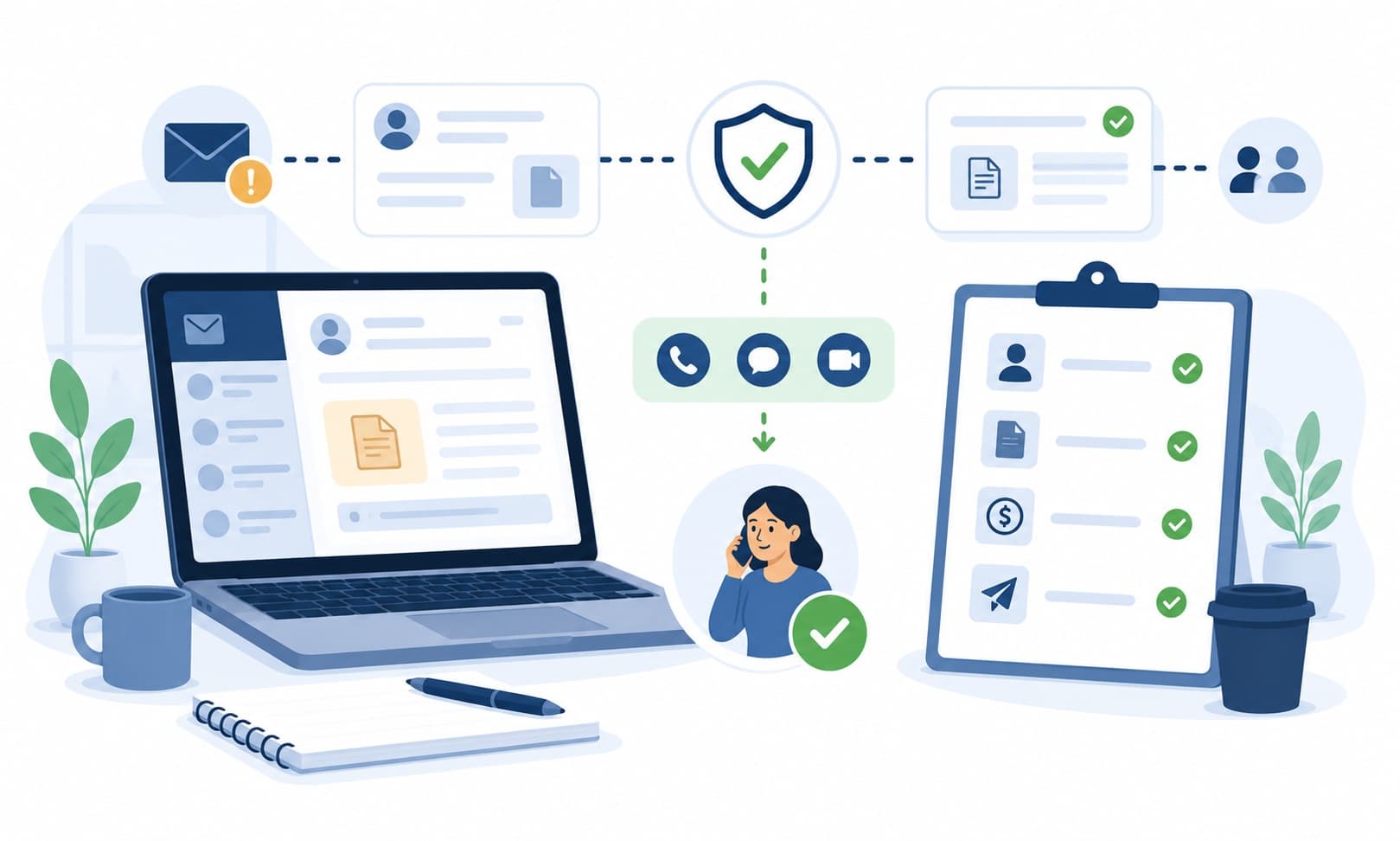
A safer business habit is to separate the email from the action. Before sending money, changing account details, or sharing sensitive files, verify through a separate known channel. That might mean calling a known vendor contact, checking with an internal manager, or using an established approval process. The goal is not to distrust everyone. The goal is to make unusual requests pass through a calm second check before money or private information leaves the business.
What this scam looks like
A business email compromise message may look like a normal work request. It can appear in an email thread, reply chain, invoice conversation, payroll update, or message from a familiar name. The sender may ask for a payment today, a bank account change, employee information, customer records, or gift cards for a business purpose.
The message often tries to avoid normal checks. It may say the owner is in a meeting, the vendor is changing banks, the deal will fail if payment is delayed, or the matter must stay confidential. Small differences matter: a changed email address, unusual wording, new payment details, or pressure to skip approval should slow the process down.
Common examples
- A fake executive email asks an assistant to buy gift cards for a client event.
- A vendor email says future invoices should be paid to a new account.
- A message asks payroll to change an employee's direct deposit details.
- An invoice arrives from a lookalike domain with new payment instructions.
- A fake client asks for sensitive documents before a deal can move forward.
- A reply in an existing thread asks for a rush payment outside the usual process.
- A manager-like message says the request is confidential and cannot be discussed.
How to verify safely
- Call the sender using a known number, not a number listed only in the new email.
- Confirm payment or payroll changes through an established internal process.
- Check the exact email domain and address for small differences.
- Compare the request with past invoices, payment instructions, and normal approval steps.
- Use a separate channel to verify any urgent or confidential money request.
- Do not rely only on email signatures, logos, or reply-chain appearance.
- Encourage staff to pause and ask for a second check without fear of blame.
Warning signs
- An email asks for a payment, wire, payroll change, invoice update, or gift card purchase outside the normal process.
- The sender appears to be an executive, vendor, client, or coworker but the timing or wording feels unusual.
- You are told the request is confidential, urgent, or cannot wait for normal approval.
- A vendor suddenly changes bank or payment instructions by email.
- The message comes from a lookalike address, personal email, or slightly changed domain.
- The request avoids a phone call, purchase order, second approval, or other normal business check.
Questions to ask
- Does this request follow our normal payment, payroll, or approval process?
- Can I verify the request through a known number or separate trusted channel?
- Did the sender's email address and domain match exactly?
- Why is the request urgent, confidential, or outside normal workflow?
- Has this vendor, employee, or executive used these instructions before?
Safer next steps
- Pause before changing payment instructions, payroll details, or invoice information.
- Verify unusual requests through a separate channel, such as a known phone number or internal contact method.
- Use normal approval steps even when the email says the matter is urgent or confidential.
- Check sender addresses carefully for small spelling changes or personal email accounts.
- Do not send gift cards, private records, tax forms, or payment details based only on an email request.
- Create a simple internal habit of second checks for payment changes and sensitive files.
What to do if you already clicked, paid, or shared information
- Pause related payments or file sharing until the request is verified through trusted channels.
- Contact the relevant bank, platform, employer, or agency through an official channel.
- Notify the real executive, vendor, client, or employee through a separate known contact method.
- Gather the email, invoice, payment instructions, timestamps, and related messages for review.
- If money was sent, contact the bank or payment provider through an official channel to ask about available options.
- If private business records were shared, notify the appropriate internal decision-maker through a trusted channel.
- Watch for follow-up messages that try to redirect questions or create new urgent payments.
How to report it
- Report the email through your email provider or workplace reporting process if available.
- Notify the real vendor, client, employee, or executive through a separate trusted channel.
- Report suspicious payments to the bank or payment platform through official channels.
- Use official consumer-protection or fraud-reporting channels in your region.
- Visit the site's /reporting page for general reporting options.
Common questions
How can I tell if a business email request is real?
Use a separate channel to verify, especially for payments, payroll changes, sensitive files, or urgent requests that skip normal process.
What should I do if a vendor changes payment instructions by email?
Pause and confirm the change through a known vendor contact method or established process before updating payment details.
Should I buy gift cards if my boss emails me urgently?
Verify through a separate trusted channel before buying anything. Gift card requests by email are a common warning sign.
What if the email is in a real reply chain?
A reply chain can still be risky if the request changes payment details or asks for unusual action. Verify through a separate channel.
What should I do if our business already sent money?
Contact the bank or payment provider through an official channel, notify the appropriate internal contact, and save all related emails and payment details.